Sockets
Create attachment points in Blender and use them to connect bodies in your game.
What Are Sockets?#
A socket marks a place where another body can connect. It defines both a position and an orientation, so the docking system knows where and how the two parts should meet. You can use sockets for a cargo mount, a removable component or several attachment points on a pallet.
In Blender you define the attachment points. In GameMaker you create the sockets on physics bodies and configure which pairs may connect. A socket is not a collision shape, and adding one in Blender does not itself join any bodies.
Create in Blender#
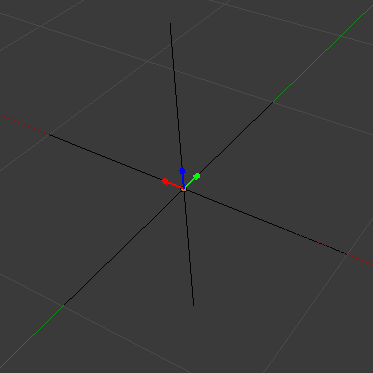
Select JoltPhysics Root and choose Add → JoltPhysics → Helpers → Socket. Set a Key such as dock_front. You will use this exact Key, including letter case, to find the socket in GameMaker. Display Name is an optional descriptive label.
Position and Orientation#
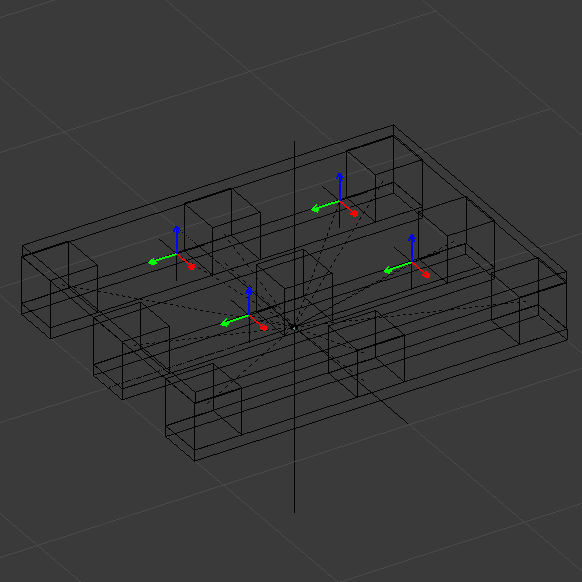
Move the socket to the intended connection point and rotate it to define the connection's orientation. Keep the Root at the origin, without rotation and with a scale of 1. Work in metres.
You can add several sockets to one configuration. Give each a distinct Key and adjust each point independently. At runtime their positions follow the owning body's movement and rotation.
Export and Load#
Run Validate and export the configuration using Export Jolt JSON. Add the file to GameMaker Included Files, load it and create the owning body. If that body is created from this asset, the asset also needs collision shapes.
Create the Socket in GameMaker#
Place the following code in Create after the physics world and owning body are ready. Here asset is the loaded asset data and body_vehicle is an existing live body. Replace those variables with your own. The Key dock_front must exist in the exported asset.
dock_front = jolt_asset_create_socket(
    asset, "dock_front", body_vehicle, "male", "cargo_dock");
if (is_undefined(dock_front)) {
    show_debug_message(jolt_get_error().message);
}
Matching and Connecting Sockets#
The polarity argument is either male or female. A matching pair uses opposite polarities and the same compatibility_type, such as cargo_dock. Choose this nonempty type name to distinguish different kinds of connection in your game.
Create the counterpart on another body using its own exported socket. Creating both sockets does not immediately connect them: docking also depends on capture rules, distance and orientation. Configure that behavior through the socket docking API.
Cleanup#
In Clean Up, release a successfully created socket before destroying its owning body or stopping the physics world:
if (!is_undefined(dock_front)) {
    dock_front.destroy();
    dock_front = undefined;
}
Technical Reference#
Syntax#
jolt_asset_get_socket(asset, socket_ref);
jolt_asset_create_socket(asset, socket_ref, body, polarity, compatibility_type, [options]);
Factories return undefined on failure; inspect jolt_get_error() immediately. Authoring lookups return independent validated record copies. A reference is a canonical UUID or an exact, case-sensitive Key. Body owners must be live managed bodies in the current world.
World frame = current Body origin transform × authored local transform. The center of mass is not the authoring origin. Positions use metres and rotations use normalized XYZW quaternions. Refresh snapshots as the body moves.
The JSON socket supplies position and rotation only. Polarity, compatibility type, capture rules and gameplay state belong to runtime configuration. options cannot override position or rotation. Creating a socket does not create a body or connect it automatically; use the existing docking API afterwards.
| API / field | Contract |
|---|---|
| jolt_asset_get_socket | Validated plain record or undefined; no native allocation. |
| jolt_asset_create_socket | JoltSocket or undefined. Standard socket lifetime and docking rules apply. |
| authoring_id / authoring_key / authoring_name / authoring_configuration_id | Source identity metadata on the socket; distinct from runtime Socket.id. |
Verified operation contracts#
These contracts distinguish units, return values, errors and lifetime according to the current implementation. Check results: false, 0 and undefined can mean different things for different methods.
| Symbol / owner | Signature | Operation contract |
|---|---|---|
| jolt_asset_create_socket | jolt_asset_create_socket(asset, socket_ref, body, polarity, compatibility_type, options=undefined) | Asset key/UUID + live Body + male/female + compatibility_type + runtime options. Returns JoltSocket/undefined; transform comes from asset, options.position/rotation are errors. Authoring ID differs from runtime Socket.id. |
| jolt_asset_get_socket | jolt_asset_get_socket(asset, socket_ref) | Asset + exact key or canonical UUID. Revalidates the mutable asset and returns an independent data record, not a physics object; failure undefined and managed error. |